Emaros: Crafting Your Next Presentation with Polish
That moment when you open a blank presentation file and see nothing but white space and a blinking cursor can be paralyzing. You have the data, the strategy, and the vision, but the challenge of translating that into a visual story that actually resonates with an audience feels like a mountain to climb. This is where a thoughtfully designed foundation, like the Emaros - Google Slide Template, transforms from a simple file into a strategic asset. It’s not about having a pre-made show to fill in; it’s about starting with a framework that understands visual hierarchy, pacing, and professional aesthetics, allowing you to focus on your message rather than wrestling with pixel alignment.
A Visual Language Built for Clarity and Impact
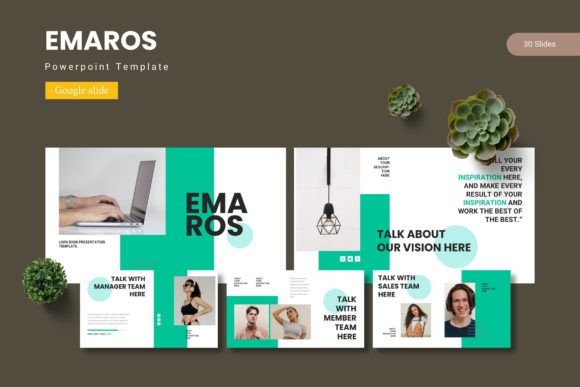
The strength of a presentation template lies in its ability to guide the eye without shouting. The Emaros collection is built on this principle, offering a clean, modern aesthetic that serves as a versatile canvas. With over 150 total slides across five distinct color schemes, you’re not getting a one-size-fits-all solution. You’re getting a library of visual tools. Think of the handcrafted infographics not as decorative elements, but as clear ways to break down complex processes or data. The pixel-perfect illustrations and resizable graphics ensure that whether you’re presenting on a conference room screen or a laptop during a virtual meeting, every element maintains its crispness and professional feel.
What makes this particularly useful for a busy entrepreneur or marketer is the practicality baked into the design. Features like drag-and-drop picture placeholders and section break slides are time-savers that streamline your workflow. Instead of spending an hour cropping images to fit awkward boxes or trying to create a visual pause in your narrative, you can simply drop in your content and keep moving. The master slide functionality is a game-changer for maintaining brand consistency. Update your logo, change a primary color, or adjust a font once on the master, and the entire presentation updates seamlessly. This is how you ensure every piece of collateral, from a client pitch to an internal report, speaks the same visual language.
Beyond the Boardroom: Practical Applications
While designed for presentations, the value of a well-structured template system like Emaros extends far beyond a slide deck. Its components are fundamentally about organized, attractive visual communication, which is the cornerstone of countless projects.
- Brand Identity & Marketing Assets: Use the consistent color schemes and graphic styles as a starting point for your broader brand identity. The templates can inspire the look of your social media graphics, ensuring your Instagram stories, LinkedIn banners, and Facebook ads have a cohesive feel. The clean layouts are perfect for creating professional web design mockups or blog graphics that need to convey information quickly and beautifully.
- Digital Products & Editorial Layouts: Are you creating an ebook, a digital planner, or a course workbook? The slide layouts can be repurposed as page templates. The gallery and portfolio slides are ideal for showcasing work samples, while the section breaks can organize chapters or modules. This gives your digital product a polished, published look that enhances perceived value.
- Packaging & Print Collateral: The scalable, high-quality graphics are perfect for packaging design mockups or creating posters and invitations. The five color variations allow you to quickly test different brand palettes or seasonal themes without starting from scratch. For a small business owner designing a product label or a crafter making event materials, having a library of pre-designed, editable elements is a massive efficiency boost.
Choosing Your Tools with Intention
Adopting a template system is a smart move, but it’s important to approach it with a designer’s mindset. First, consider the font pairing included. The typography in Emaros is chosen for its readability and modern appeal. Before you commit, test how the fonts perform with your own content. Do they hold up with longer paragraphs of text? Are the headings impactful enough? The readability considerations are crucial—what looks elegant on a title slide must remain clear in a dense chart or a lengthy bullet point.
Next, think about the commercial licensing. If you’re using this for client work or products you sell, confirming the license is essential. A premium template is an investment in your professional toolkit, and understanding its terms protects that investment. Finally, don’t be afraid to customize. The master slides are your playground. Adjust the color schemes to match your exact brand palette, swap out the placeholder images for your own photography, and modify layouts to better suit your data. The goal isn’t to use the template as-is, but to use its robust foundation to build something uniquely yours, faster and with greater visual consistency.
In the end, a resource like the Emaros template is about removing friction from the creative process. It provides the professional scaffolding so that your ideas—whether they’re for a startup pitch, a community workshop, or a product launch—can be presented with the clarity and confidence they deserve. It turns the daunting blank slide into a field of possibilities, ready for your story.