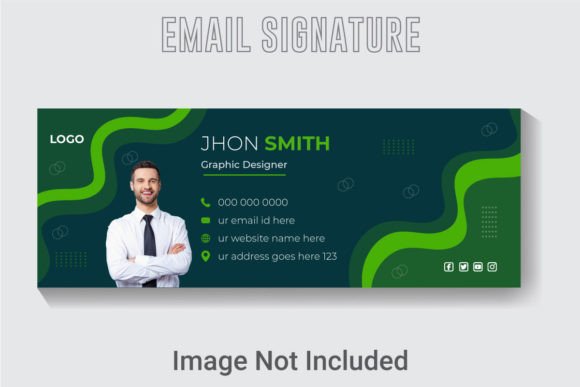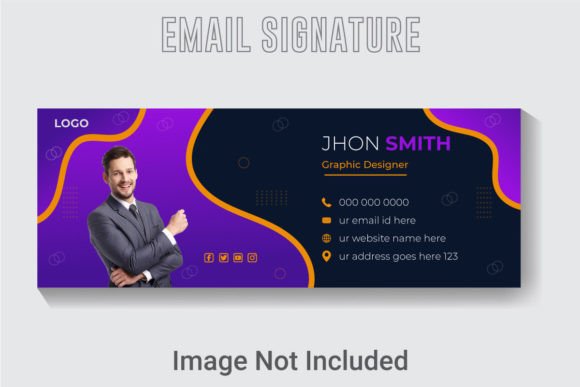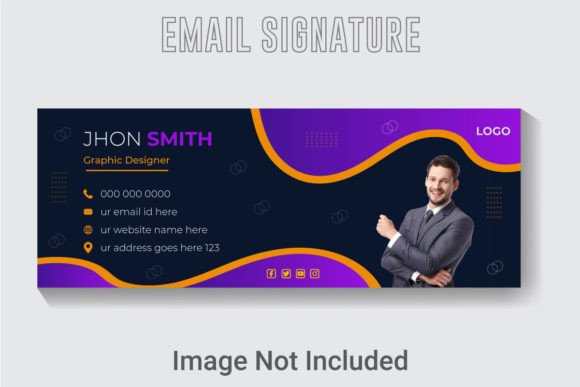
Design a Lasting Impression with a Professional Email Signature
Every email you send is a touchpoint. It's a chance to reinforce who you are, what you do, and why you're credible. Yet, so many professionals and creators overlook this prime digital real estate, settling for a plain text sign-off that fades into the inbox noise. A thoughtfully crafted email signature does more than list your contact details; it acts as a micro-billboard for your brand, a consistent anchor in every conversation. This is where a dedicated Email Signature Design Template becomes an invaluable asset, transforming a functional necessity into a powerful branding tool.
Think about the last time you received an email from a company or a freelancer with a polished, visually coherent signature. It immediately signals professionalism and attention to detail. It tells the recipient that the sender cares about their presentation, which often translates to how they'll care for their clients or projects. Creating this effect from scratch, however, can be time-consuming and technically fiddly. A well-structured template provides the perfect starting point, ensuring your signature looks sharp, loads correctly, and aligns with your overall visual identity from the very first send.
Beyond the Basics: Anatomy of a High-Impact Signature
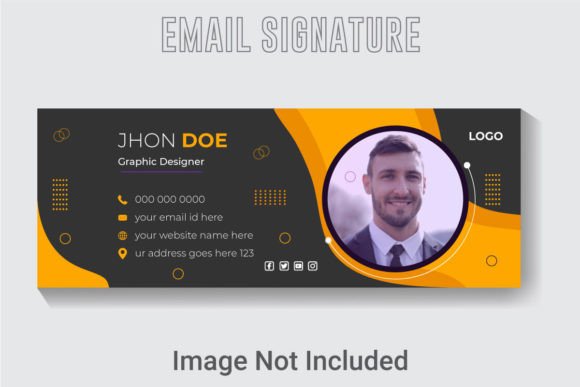
A truly effective email signature is a careful balance of design and information. It needs to be visually engaging without being cluttered, and informative without being overwhelming. The core components are your name, title, company, and contact information. But the magic lies in how these elements are presented. This is where design specifications matter. A template built at 851x315 pixels in RGB color mode is optimized for digital screens, ensuring your signature looks crisp on everything from a desktop monitor to a smartphone. The 300 DPI resolution guarantees that any graphical elements, like your logo or social media icons, remain sharp and professional, avoiding the pixelation that can undermine your credibility.
The true power of a professional asset like this lies in its editability. With files provided in AI and EPS formats, you have complete control. You're not locked into the designer's original color scheme or typography. Using Adobe Illustrator, you can seamlessly integrate your brand's exact color palette, swap in your preferred typeface, and rearrange elements to suit your layout preferences. This level of customization is crucial for maintaining visual consistency across all your marketing assets, from your website to your social media graphics. The included JPG offers a quick reference, but the vector files are where you make the template truly your own.
Practical Applications for Every Brand and Business
The utility of a customizable Email Signature Design Template extends far beyond a simple sign-off. It’s a versatile piece of your brand identity toolkit. For a small business owner, it ensures that every communication from your team presents a unified, professional front. For a freelancer or consultant, it’s a digital business card that you can embed in proposals, invoices, and client correspondence, subtly reminding them of your services and how to reach you. Content creators and bloggers can use it to drive traffic to their latest post, podcast, or YouTube channel by including a clear, clickable call-to-action.
Consider the broader design ecosystem. The same design principles applied to a great email signature are at work in logo design, packaging, and editorial layouts. A template that offers well-layered, organized files teaches you about visual hierarchy and balanced composition. You learn how to guide the eye from your name to your logo, then to your key contact link. This understanding is directly transferable to designing a social media post, arranging a product label, or structuring a webpage. It’s a practical lesson in applied design that serves multiple creative purposes.
Choosing and Implementing Your Design
When selecting a template or finalizing your custom design, think about your audience and goals. A corporate consultant might lean towards a clean, minimalist layout with a classic serif or sans serif font, projecting stability and trust. A creative agency or a wedding photographer might opt for a template that allows for a more expressive script or handwritten font to showcase personality and artistry. The key is to choose a style that authentically represents your brand's voice.
Readability is paramount. No matter how beautiful the design, if your phone number or website URL is difficult to read, the signature fails its primary function. Test your design at the actual size it will appear in an email client. Ensure there is sufficient contrast between the text and the background. If you're using a decorative display font for your name, pair it with a highly legible sans serif for your contact details. This practice of font pairing is essential not just for signatures, but for all your design work, from posters to digital products.
Finally, always be mindful of the practicalities. Keep the file size of your signature in mind; overly large images can trigger spam filters or slow down email loading times for your recipients. Compress your JPG or PNG appropriately. And while free fonts are fantastic for personal projects, if you're using your email signature for commercial purposes—which most businesses and freelancers are—double-check the licensing of any typeface you incorporate to ensure it’s cleared for commercial use. A truly professional approach covers both the aesthetic and the legal foundations.
Investing a little time into crafting a standout email signature is an investment in your brand's perceived value. It’s a silent ambassador working for you in every inbox. By starting with a robust, editable template, you give yourself the tools to create that perfect first impression, again and again, with every click of "send."